
- August 31, 2026
- by admin
- 0
- 9:35 pm

Shopping for a new computer can feel confusing fast. You see “Chromebook” next to “laptop” on store shelves and wonder if they’re even different categories. They are, and the difference between Chromebook and laptop comes down to the operating system, the hardware inside, and the kind of tasks each one handles best.
This guide breaks down exactly how these devices compare. You’ll learn what each one does well, where it falls short, and how to match the right device to your budget and daily habits. No jargon, no fluff — just a clear answer to a question millions of shoppers ask every year.
A Chromebook is a laptop-style computer that runs Google’s Chrome OS instead of Windows or macOS. Chrome OS is lightweight, browser-based, and built around Google’s ecosystem — Gmail, Docs, Sheets, and Drive all work natively without extra downloads. Most Chromebooks also support Android apps through the Google Play Store, which extends what they can do beyond just web browsing.
People buy Chromebooks for simplicity. Students use them for research and assignments. Remote workers use them for email, video calls, and cloud-based tools. Because Chrome OS asks less of the hardware, manufacturers can sell capable Chromebooks at lower prices than comparable Windows machines, which is a major part of their appeal for budget-conscious buyers.
A traditional laptop typically runs Windows or macOS and is built to handle a much wider range of software. This includes professional tools like Adobe Creative Suite, AutoCAD, and full-featured Microsoft Office, along with resource-heavy applications such as video editing suites and PC games. Laptops generally pack stronger processors, more RAM, and larger local storage drives.
This flexibility comes at a cost — literally and in terms of complexity. Traditional laptops need more maintenance, are more vulnerable to viruses and malware, and usually cost more upfront. But for people who need offline software, heavy multitasking, or specialized programs, a traditional laptop remains the only practical choice on the market today.
The clearest way to understand the difference between Chromebook and laptop is to look at four categories: operating system, price, performance, and storage. Each one shapes what the device can realistically do for you day to day.
Chrome OS is cloud-first, meaning most files and apps live online rather than on the device itself. Windows and macOS are built for local processing, which is why they support heavier software and offline work. This single architectural choice cascades into nearly every other difference between the two device types.
| Feature | Chromebook | Traditional Laptop |
|---|---|---|
| Operating System | Chrome OS | Windows or macOS |
| Average Price | $200–$500 | $500–$1,500+ |
| Boot-Up Speed | 8–10 seconds | 20–40 seconds |
| Offline Software | Limited | Extensive |
| Storage Type | Mostly cloud-based | Local SSD/HDD plus cloud options |
| Best For | Browsing, school, cloud work | Gaming, editing, professional software |
Chromebooks run Chrome browser extensions, Progressive Web Apps, and Android apps from the Play Store. This covers most everyday needs — email, streaming, social media, and Google’s productivity suite work flawlessly. However, many professional-grade programs simply don’t have a Chrome OS version, which limits Chromebooks for specialized industries.
Traditional laptops support nearly every piece of desktop software ever built for Windows or macOS. This includes accounting software, engineering tools, video games, and legacy programs businesses still depend on. If your job or hobby requires a specific downloadable application, checking compatibility before buying a Chromebook is a smart, necessary step.
Chromebooks feel fast for everyday tasks because Chrome OS is lightweight and optimized for quick boot times and smooth browsing. Battery life often stretches to 10-12 hours on a single charge, since the hardware isn’t working as hard. For students moving between classes or remote workers on the go, that endurance matters more than raw processing power.
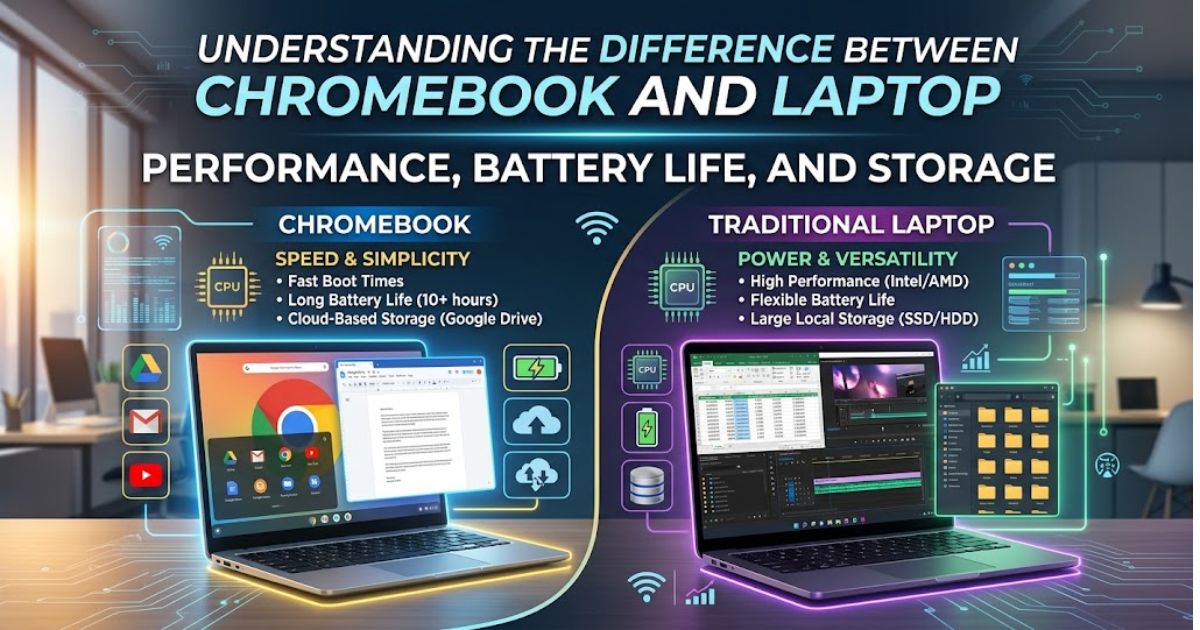
Traditional laptops vary widely in performance depending on the processor, RAM, and graphics card installed. Higher-end models handle video editing, gaming, and multitasking with ease, but that power often shortens battery life to 6-8 hours under heavy use. Storage also differs significantly — Chromebooks lean on cloud storage, while laptops typically include larger local drives.
| Factor | Chromebook | Traditional Laptop |
|---|---|---|
| Typical Battery Life | 10–12 hours | 6–8 hours |
| Typical RAM | 4GB–8GB | 8GB–32GB |
| Local Storage | 32GB–128GB | 256GB–2TB |
| Upgradability | Very limited | Often moderate to high |
A Chromebook makes sense if your daily computer use revolves around the browser and Google’s tools. It’s an excellent secondary device too, ideal for anyone who wants something fast, simple, and low-maintenance without spending a lot of money upfront.
Checklist — a Chromebook is likely a good fit if you:
A traditional laptop is the better choice for anyone whose work or hobbies demand serious processing power or specific downloadable programs. Gamers, video editors, engineers, and business professionals typically outgrow what Chrome OS can offer within the first few months of use.
Checklist — a traditional laptop is likely a better fit if you:
Follow these steps to land on the right device with confidence:
The real difference between Chromebook and laptop isn’t about which one is “better” — it’s about which one matches how you actually work. Chromebooks win on price, battery life, and simplicity, making them ideal for students and cloud-based tasks. Traditional laptops win on power and software flexibility, making them essential for gaming, creative work, and professional applications. Match the device to your daily habits, not the marketing, and you’ll make a purchase you’re happy with for years.
Is a Chromebook cheaper than a laptop?
Yes, Chromebooks are generally cheaper, often ranging from $200 to $500, while traditional laptops start around $500 and can exceed $1,500 depending on specs.
Can a Chromebook replace a laptop for work?
It can for cloud-based or browser-focused jobs, but not for roles requiring specialized offline software like advanced editing or engineering tools.
Do Chromebooks run Microsoft Office?
Chromebooks support Office web apps and Android versions of Word and Excel, but not the full desktop Office suite that traditional laptops run.
Which lasts longer, a Chromebook or a laptop battery?
Chromebooks typically last longer, often 10-12 hours, because Chrome OS is lighter on system resources than Windows or macOS.
Are Chromebooks good for gaming?
Chromebooks handle light Android or cloud gaming through services like GeForce NOW, but they can’t run demanding PC games the way traditional laptops can.



Welcome to Poly, your trusted source for informative and engaging content across technology, business, lifestyle, travel, entertainment, and more. Our mission is to provide accurate, up-to-date, and easy-to-read articles that inform, educate, and inspire readers around the world.
Email: